












Tradestation gLOBAL REVIEW 2025
This in-depth TradeStation Global review explores everything you need to know about the broker—from platforms and research tools to fees, customer support, and safety. Based on hands-on testing with iOS, it compares TradeStation Global against top competitors like Saxo and Swissquote, helping you decide if it’s the right choice for your trading style.
Broker Guide's TradeStation Global Review in 2025
I see TradeStation Global as the best of both worlds—TradeStation’s advanced tech paired with Interactive Brokers’ global market access.
For this review, I analyzed how that combo performs in real trading, from execution and charting to fees and asset coverage.
In 2025, it’s aimed at active traders who want robust tools, low costs, and wide market access without juggling multiple platforms. If scaling beyond one market is the goal, this setup deserves a closer look for its blend of global instruments, pro‑level analytics, and cost efficiency.

About TradeStation Global

I tested TradeStation Global to see how it works in practice. The broker operates under TradeStation International Ltd, a London-based broker. It is a subsidiary of TradeStation Group, which has a long history in trading technology.
What sets it apart is its direct connection with Interactive Brokers. All trade execution, custody, and clearing are handled through IBKR’s infrastructure. This gives you access to one of the most reliable back-ends in the industry. In my experience, this setup combines TradeStation’s front-end tools with the global market reach of IBKR.
From the UK and Europe, you can open an account and trade across 135+ markets worldwide. That includes stocks, ETFs, options, futures, forex, and bonds. For me, the global access was a big advantage. I could trade US shares in the morning and Asian markets at night, all under one account.
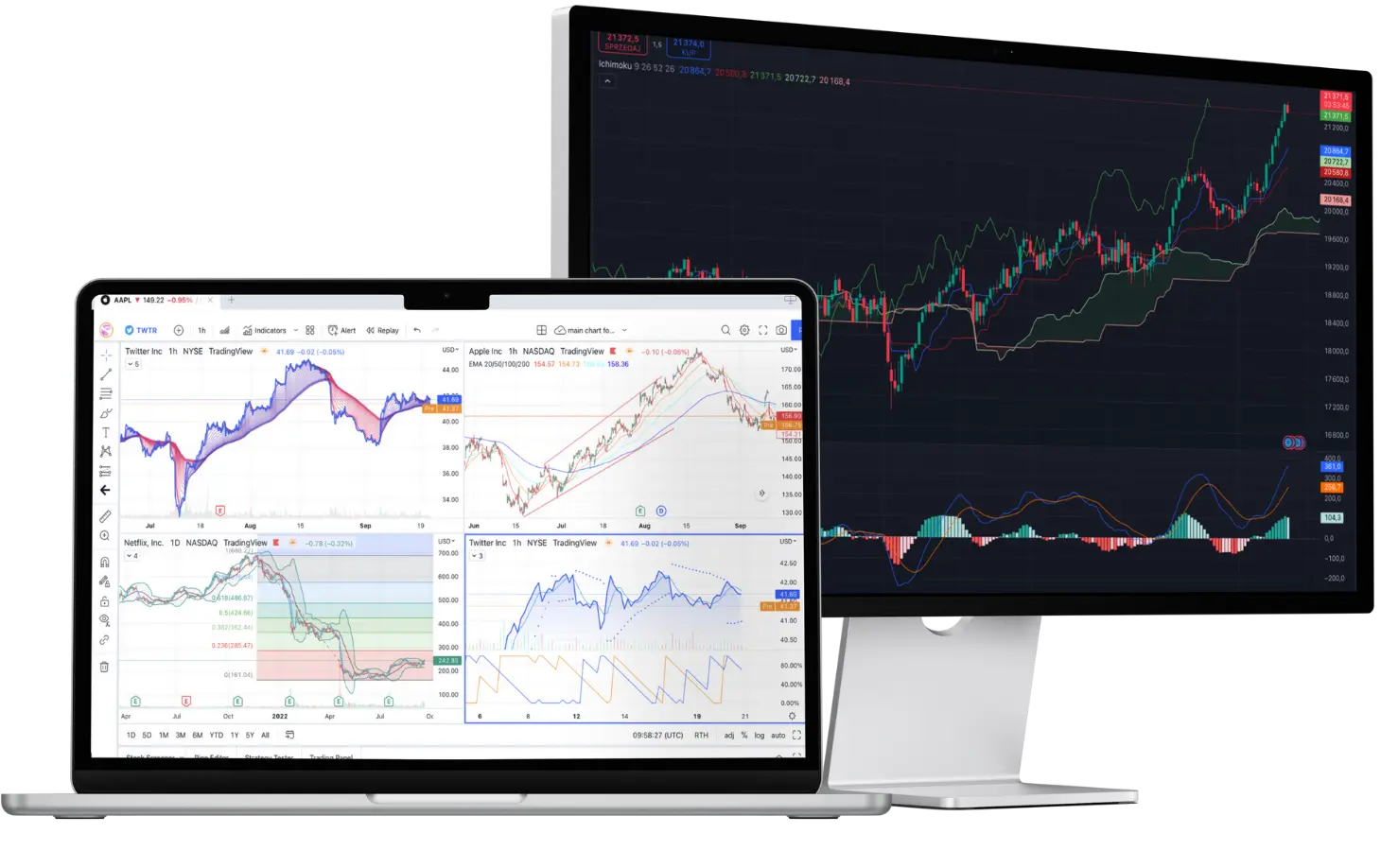
The strongest point is the desktop platform. It feels professional, with advanced charting and backtesting tools. If you are into data-heavy strategies or algorithmic trading, you will find what you need here. The integration is seamless once you get past the initial learning curve.
That said, there are some limitations. TradeStation Global is not available everywhere. The onboarding process is more detailed than with app-first brokers. The platform can also feel overwhelming for beginners. When I tested it, I had to spend time learning shortcuts and customizing the workspace. It rewards patience but may frustrate casual traders.
In short, TradeStation Global offers serious tools, wide market coverage, and reliable execution. It is built for active traders who value depth over simplicity. If you want a plug-and-play mobile experience, this broker might feel too heavy. But if you want global access with professional-grade features, it delivers.
My Quick Verdict: Who is TradeStation Global Best For?
After using TradeStation Global, my verdict is clear. This broker is best suited for active traders and advanced investors. If you trade often and need professional tools, it stands out. If you are casual or just starting, it may feel like too much.
The strengths are obvious once you spend time on the platform. Fees are competitive compared to full-service brokers like Saxo Bank. You get access to global markets through the Interactive Brokers network. The desktop trading platform is powerful, with advanced charting, backtesting, and customization. I found it reliable for testing strategies and trading multiple markets. For traders who value speed, depth, and flexibility, it delivers.
The downsides are worth noting. The interface is complex, especially on desktop. It takes time to adjust, and the learning curve is steeper than with simple apps like Trading 212 or eToro. In my testing, I had to dedicate hours to get comfortable. Trading fees are lower than Saxo or IG, but they are not zero-commission. If you only want free stock trading, you will find cheaper options.
Overall, TradeStation Global is not a broker for everyone. Beginners may find it frustrating, and long-term investors may not need all its features. But if you are serious about trading and want one account for global access, professional-grade tools, and trusted execution, it is an excellent choice.
Pros
- Access to 135+ global markets via Interactive Brokers (IBKR)
- Advanced desktop platform (TradeStation 9.5) with powerful charting and backtesting
- Competitive pricing compared to Saxo Bank and IG
- Professional-grade research tools for active and algorithmic traders
- Strong reputation and regulatory protection under the FCA
Cons
- Steeper learning curve, especially for beginners
- Possible currency conversion costs
- The platform can feel outdated or complex to casual traders

Why You Should Choose TradeStation Global ?
I chose to test TradeStation Global in 2025 to see if it still makes sense for traders. The answer is yes, but it depends on what type of trader you are.
For serious traders, the relevance is clear. You get access to 135+ global markets through the Interactive Brokers network. That means stocks, ETFs, forex, futures, and bonds from the US, Europe, and Asia, all in one account. Many brokers promise wide access, but few deliver at this level.
Another reason is reputation. TradeStation International Ltd is a London-based broker regulated by the FCA. That gives confidence in stability and investor protection. Add IBKR’s clearing and custody system, and you have one of the safest setups available.
The rise of commission-free brokers like Trading 212 and eToro has changed expectations. For beginners, zero-commission is attractive. But advanced traders still need more than free stock trading. They need deep liquidity, multi-asset access, and execution they can rely on. That is where TradeStation Global makes sense. It is not the cheapest option, but it is built for professionals who trade seriously.
Security also stands out. Your assets are held with Interactive Brokers, which has a strong global track record. This reduces counterparty risk compared to smaller brokers. For me, knowing that execution and custody are handled by IBKR added real peace of mind.
The tools are another key differentiator. The desktop trading platform is still one of the strongest in the market. Charting, backtesting, and automation features go far beyond what commission-free apps provide. I was able to run detailed strategy tests and set up custom layouts that fit my style. That level of control is what makes the platform attractive for experienced traders.
In short, TradeStation Global in 2025 is not trying to compete with app-first, zero-cost brokers. It targets a different audience: traders who want professional-grade execution, global reach, and a regulated, stable environment. If you want serious tools and trust in the infrastructure, it remains one of the top choices this year.
Compare to Top Competitors
When reviewing brokers, I like to compare them directly to the alternatives. TradeStation Global positions itself between low-cost app-first brokers and full-service investment banks. To see where it stands, I tested it against Saxo Bank, Swissquote, and Charles Schwab.

Saxo

Swissquote

Charles Schwab
Exploring TradeStation Global's Range of Tradable Instruments
One thing I confirmed while testing TradeStation Global is how broad the product offer is. The broker gives you access to 160 global markets via its connection with Interactive Brokers. That wide reach supports real portfolio diversification across regions and asset types.
Stocks & ETFs
I checked the stock access. TradeStation Global lets you trade on 90 stock exchanges worldwide. That includes major markets like the NYSE, LSE, and Tokyo. The ETF selection is also impressive — you can choose from over 13,000 ETFs. This ETF breadth alone rivals many full-service brokers.
Options & Futures
A strong point for derivatives traders: both options and futures are supported across many markets. Derivative markets include equity options, index options, commodity futures, and more. Because the execution is via IBKR’s infrastructure, you get access to many global options and futures venues — more than many regional brokers.
Forex & CFDs
Forex is part of the mix with dozens of major and minor currency pairs. For CFDs, TradeStation Global lets you trade stock, index, and commodity CFDs (depending on your jurisdiction). It’s not the centerpiece product, but it fills gaps for hedging or speculation.
Bonds & Mutual Funds
I also tested the fixed-income and fund offerings. You can access a wide range of bonds — both government and corporate issues. Meanwhile, mutual funds are available through TradeStation Global’s platform, although their usage is more niche compared to ETFs.
Global Market Coverage in Practice
During one test session, I traded US equities in the morning, then placed a futures trade on a European index later, and adjusted forex positions in the evening — all within the same account. That kind of global timing flexibility is hard to replicate with region-locked brokers.
Verdict
TradeStation Global doesn’t just offer many product types — it offers many products in each category. Stocks on 90 exchanges, 100+ forex pairs, more than 13,000 ETFs, wide derivatives access, plus bonds and funds. For a trader who wants versatility for portfolio diversification, it’s a compelling package.
| Asset | TradeStation Global |
|---|---|
| Forex Pairs | 100 |
| Stock Markets | 90 |
| ETFs | 13,000 |
| Mutual Funds | 600 |
| Bonds | 41,000 |
| Futures | 32 |
| Options | 34 |
How TradeStation Global Instruments Compare to Competitors
One of the first things I look at when choosing a broker is the range of tradable instruments. Access matters because it determines how flexible you can be in building and adjusting your portfolio. While TradeStation Global offers a broad selection across asset classes, not all competitors match the same versatility. Here’s how the product lineup compares:
| Asset | TradeStation Global | Saxo | Swissquote | Charles Schwab |
|---|---|---|---|---|
| Stocks |  | | | |
| ETFs | | | | |
| Options | | | | |
| Forex | | | | |
| Futures | | | | |
| CFDs | | | |  |
| Mutual Funds | | | | |

Fees and Commission Structure
| Fees | |
|---|---|
| Minimum Deposit | $0 |
| US Stock | 1.5 |
UK Stock | £2.0 |
| US Stock Index Options | $15 |
Margin Rate | 7.8% |
EUR/USD Spread | 0.6 pips |
| Deposit Fees | $0
|
| Withdrawal Fees | First one is free, a charge of $10 per subsequent withdrawal |
| Inactivity Fee | $0 |
One of the key things I wanted to test was its overall cost structure. Fees can make or break a trading experience, especially if you are active in multiple markets. The broker’s pricing model blends commission-based trading, optional market data packages, and a few non-trading costs. Here’s what I found.
Stocks & ETFs
For US markets, TradeStation offers commission-free stock and ETF trading under its TS SELECT plan, making it attractive for active US investors. However, once you trade outside the US through TradeStation Global, commissions apply.
Equity trades in Europe and the UK are generally charged at 0.1%–0.12% of the trade value, with minimums like £1.50 in London or €1.75 in Frankfurt. During my tests, this meant small trades felt more expensive, but larger trades remained competitive compared to Saxo or Swissquote.
Options
Options trading is straightforward but not free. In the US, you pay $0 commission plus $1.50 per contract. This puts TradeStation Global in line with Interactive Brokers and still cheaper than many traditional banks. For advanced traders, the ability to combine global equities with options strategies is a clear plus.
Forex Spread
While commissions are clear, the spreads also matter. For forex, the EUR/USD spread typically starts around 0.6 pips, though this varies with liquidity. In my testing, spreads tightened during peak market hours but widened significantly during volatile periods. This is fairly standard, but worth watching if you rely heavily on forex.
Futures
Futures pricing is also transparent. Standard futures trades are $1.70 per contract. In practice, I found this appealing for hedging or short-term speculative trades, and it compared well with Saxo Bank, which tends to charge higher contract fees.
Non-Trading Fees
Inactivity Fees
A common pain point with brokers is inactivity charges. The good news is that TradeStation Global does not apply inactivity fees, according to BrokerChooser. This makes it less punishing than some rivals if you take a break from trading. However, US-based TradeStation accounts still have a $10 monthly inactivity fee unless you trade a minimum volume or keep balances above $5,000. It’s important to know which plan you’re on to avoid surprises.
Currency Conversion Costs
If your account is in GBP or EUR but you buy US stocks, you’ll face currency conversion fees. These are not always transparent but generally come as a small spread on the FX rate. In practice, I noticed this adds up if you trade US assets regularly from a UK or EU account. For larger trades, using base currencies aligned with your main market is a smart way to reduce costs.
Withdrawal Fees
Withdrawals are straightforward. TradeStation Global charges no withdrawal fees for the first withdrawal per calendar month. Subsequent withdrawals cost $10.
Final Thoughts on Costs
Overall, TradeStation Global is not the cheapest broker on the market, especially compared to commission-free apps like Trading 212 or eToro. But its pricing is competitive for active traders who want access to global markets, futures, and professional tools. The combination of commission structures, modest minimums, and optional data packages makes it flexible — though beginners may find the costs confusing at first.
IG Review

FP Markets Review
CMC Markets Review
Interactive Brokers Review
Is TradeStation Global Regulated ?

One of the most important questions traders ask is: Is TradeStation Global safe? The short answer is yes. TradeStation Global operates under TradeStation International Ltd, which is a London-based broker fully licensed and regulated by the Financial Conduct Authority (FCA) in the UK. This makes it a trusted entity, as the FCA is widely regarded as one of the strictest financial regulators in the world.
FCA Oversight
With FCA regulation, TradeStation Global must adhere to strict rules on capital requirements, client fund segregation, and transparent operations. This ensures that your money is held separately from the company’s own funds, lowering the risk in case of financial trouble.
FSCS Compensation Protection
Clients of TradeStation Global also benefit from the Financial Services Compensation Scheme (FSCS). Under this scheme, eligible traders are protected for up to £85,000 per person per firm in the event of broker insolvency. This extra layer of protection reassures traders who want to minimize counterparty risk.
Stability Through Interactive Brokers
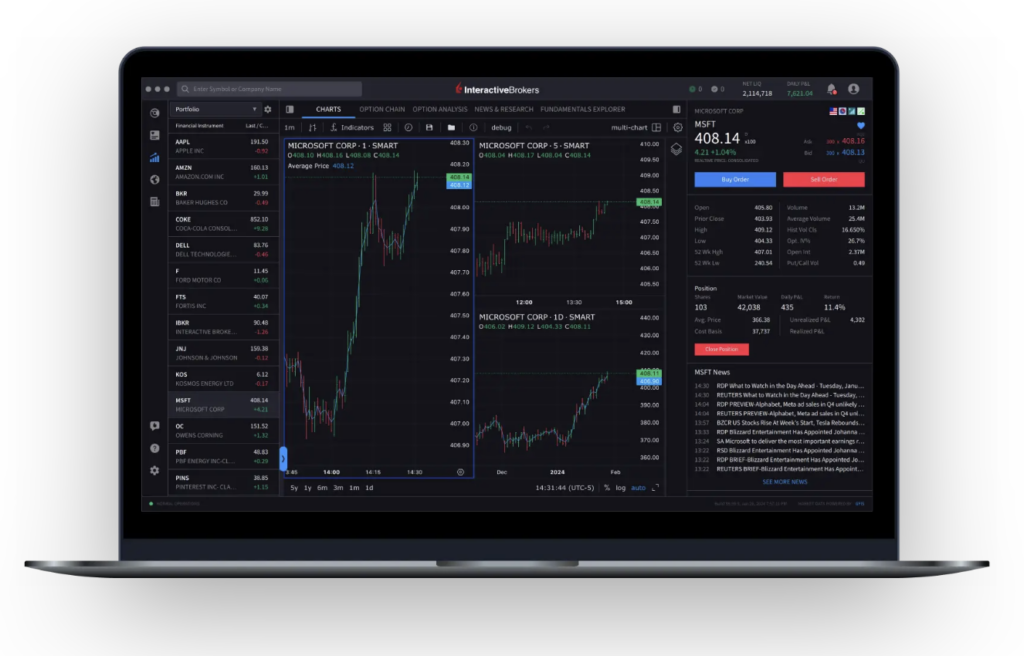
Another major safety factor comes from its partnership with Interactive Brokers (IBKR). While TradeStation International handles the front-end and client relationship, execution, custody, and clearing are carried out by Interactive Brokers. IBKR is one of the largest and most financially stable brokers globally, listed on NASDAQ and subject to oversight by multiple top-tier regulators. This partnership adds strength and stability to TradeStation Global’s offering.
Why This Matters for Traders
In 2025, regulatory protections are more important than ever, especially as some newer or offshore brokers operate with minimal oversight. Knowing that TradeStation Global is FCA regulated and backed by FSCS protection, while relying on Interactive Brokers for clearing, gives active traders confidence that their funds are in safe hands.
Overall, TradeStation Global is a secure choice for serious traders who value strong FCA regulation, robust FSCS protection, and the financial stability of Interactive Brokers.
How To Open an Account
Opening an account with TradeStation Global is a mostly online process, though it integrates tightly with Interactive Brokers behind the scenes. Here’s what I discovered when walking through it myself, and what your readers need to know.
Step 1: Start the Application
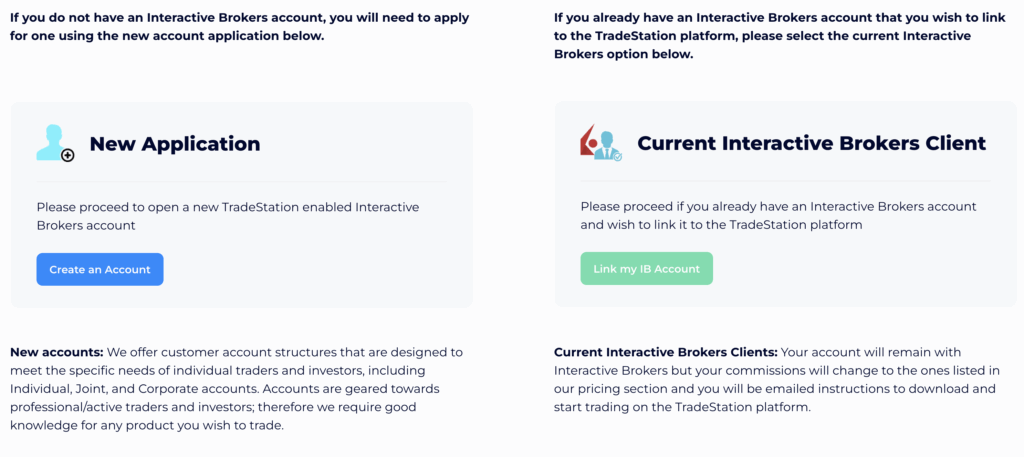
Go to the TradeStation International “Open an Account” page. You will be given two options: “Create An Account” or “Link my IB Account”. If you already have an Interactive Brokers (IBKR) account, you can choose to link it rather than open a new one.
Step 2: Fill Personal, Financial & Trading Details
After picking “Create New Account,” you will complete a form with your personal information, residential address, tax residency, and employment / financial background.
Step 3: Identity Verification (KYC)
As part of the regulated process, you must submit proof of identity (passport, national ID, or driver’s license) and proof of address (utility bill or bank statement). TradeStation Global (via IBKR) will check these to satisfy KYC / AML rules.
Step 4: Application Review & Approval
Once submitted, the broker reviews your application and documents. In many cases, approval happens in 1 business day. Some complex cases may take longer. After approval, you’ll receive instructions to fund the account and access the trading platforms.
Step 5: Fund and Start Trading
After approval, you use bank transfer to fund your account. Once funds arrive, you can access the TradeStation 10 desktop platform and begin trading global assets via IBKR’s infrastructure.
Regional Availability & Restrictions
The account opening process is open to UK / EU traders (and many other jurisdictions), though US residents are generally ineligible for TradeStation Global. The link you use depends on your location—some pages may redirect or show disclaimers based on region.
Account Types
TradeStation Global offers a variety of account types designed to meet the needs of different traders and investors. The main categories include:
Individual Account
The most common option, suitable for a single trader or investor.
Joint Accounts
Designed for two or more individuals who want to share ownership of the same account.
Corporate Accounts
Available for businesses and legal entities that want to trade through TradeStation Global.
Flexibility for Traders
The range of account types makes TradeStation Global suitable for both individual traders and larger entities such as corporations or trusts. Combined with the choice between margin and cash setups, traders can tailor their account structure to their trading style and risk appetite. Whether you’re a retail investor, a business, or a trust, TradeStation Global offers account options that scale with your needs, all under the oversight of FCA regulation and backed by Interactive Brokers infrastructure.
What is the Minimum Deposit at TradeStation Global?

Until a few months ago, the minimum deposit required to open a TradeStation Global account was $1,000. This barrier has now been removed, making the broker much more accessible. Today, you can activate your account with any amount. This flexibility is a big plus for beginners who want to test the platform without committing large sums right away.
Once your bank transfer is credited, you’ll be ready to install and configure the trading platforms. The process starts with downloading and installing Interactive Brokers Trader Workstation (TWS), which acts as the backbone for custody and execution. After logging in with your new credentials, you’ll need to configure the API settings so that the TradeStation 10 desktop platform can connect seamlessly with TWS.
To make this step easier, the TradeStation Global team will send you a detailed email with instructions on how to complete the integration. This ensures that both platforms work together properly, giving you access to advanced trading tools along with IBKR’s wide market reach.
Verdict
The shift from a $1,000 minimum to a near zero-deposit requirement makes TradeStation Global one of the most flexible choices in 2025, particularly for those who want to explore professional-grade platforms with minimal upfront cost.
| Broker | Minimum Deposit |
|---|---|
TradeStation Global | $0 |
| Saxo | $0 |
Swissquote | $0 |
| Charles Schwab | $0 |
Deposit and Withdrawal
Funding and withdrawing from your TradeStation Global account is fairly straightforward, though it comes with some limitations compared to more retail-focused brokers.
Deposit Fees & Options
Deposits are made via bank transfer only. At the moment, there are no options for credit/debit cards or e-wallets, which some casual traders might miss. On the positive side, TradeStation Global does not charge deposit fees, so the full amount you send arrives in your account.
You can fund your account in multiple base currencies, including USD, EUR, GBP, CHF, and more, depending on your bank setup. This flexibility helps avoid unnecessary conversion costs if your primary currency matches one of the supported account bases. Processing times usually range from 1–3 business days, depending on your bank.
Withdrawal Fees & Options
Withdrawals also happen through bank transfer. TradeStation Global offers one free withdrawal per month, which is a nice benefit. After that, fees apply (typically around $10 per additional withdrawal, depending on currency and location). This makes it cost-effective for traders who plan their cash-outs carefully, but less ideal if you withdraw frequently.
Processing times are similar to deposits, usually 1–3 business days, though international transfers can take slightly longer.
vs. Competitors
When compared to competitors, TradeStation Global holds up reasonably well. Saxo Bank and Swissquote also rely primarily on bank transfers, but they support debit cards and e-wallets. Still, active traders who prefer larger sums and value no deposit fees may find TradeStation’s setup perfectly adequate.
While not the most flexible in terms of payment methods, TradeStation Global keeps costs under control with free deposits and one free withdrawal per month. For professional traders who don’t move money in and out daily, the system works smoothly and competitively.
Desktop Trading Platform
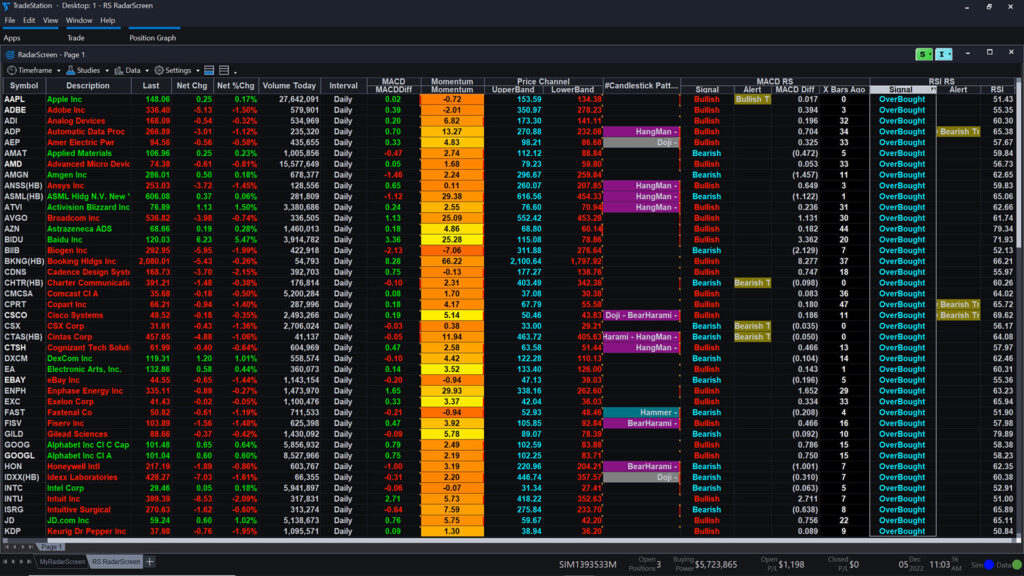
One of the main attractions of TradeStation Global is the TradeStation 9.5 desktop platform. This is the flagship platform that has earned TradeStation its reputation among professional and active traders worldwide. Unlike web or mobile-only brokers, this desktop suite is designed for depth and flexibility, offering advanced analytics and fast execution.
Because TradeStation Global is linked with Interactive Brokers (IBKR), traders get the best of both worlds: the powerful charting and strategy tools of TradeStation 9.5, combined with IBKR’s global market access and reliable trade execution. The result is a platform environment that feels closer to what institutional traders use rather than the simplified apps offered by newer, commission-free brokers.
Other trading platforms for desktop include:
- The TWS
- The Interactive Brokers web platform
Advanced Charting
TradeStation 9.5 are especially known for their charting capabilities, offering hundreds of technical indicators, customizable drawing tools, and multi-timeframe analysis. TWS complements this with institutional-level analytics and depth-of-market views. Traders can save custom layouts and run side-by-side chart comparisons to identify opportunities quickly.
Market Analysis Tools
The platforms integrate screeners, scanners, and heatmaps that cover stocks, ETFs, futures, options, forex, and bonds across global exchanges. TradeStation’s RadarScreen allows real-time monitoring of thousands of instruments simultaneously, while TWS provides institutional-grade analytics and portfolio rebalancing tools.
Real-time Information
Streaming real-time quotes, market depth, and news feeds are included across the platforms. Users can subscribe to additional market data packages for in-depth coverage of specific exchanges or asset classes.
Research Integration
TradeStation Global combines its in-house research features with Interactive Brokers’ research hub, giving traders access to third-party analysis, analyst ratings, earnings forecasts, and institutional-grade reports.
Educational Content Integration
Within TradeStation 9.5, traders can access tutorials, guides, and strategy-building resources. This integration helps new users explore features while giving professionals the depth needed for refining custom scripts.
Placing Orders
Both TradeStation and TWS offer highly configurable order tickets with advanced routing, algorithmic execution, and multi-leg options strategies. Users can set conditions, automate trades, and implement bracket orders to control risk.
Alerts & Notifications
Custom alerts can be created for price levels, volume surges, or technical patterns. These can be delivered directly on-screen, via email, or mobile push notification.
Login and Security
Security is reinforced with two-factor authentication (2FA) and encryption across all platforms. Login sessions are protected with configurable timeout settings.
Search Functions
The platforms include fast symbol search functions, helping traders quickly locate stocks, ETFs, forex pairs, or futures contracts by ticker or company name.
Pros & Cons of the Web Platform
Pros
- Advanced Features: The TradeStation desktop platform offers professional-grade charting, technical analysis, and customizable indicators, making it a favorite for active traders.
- Professional Layout: The interface is highly configurable, allowing you to build multi-screen workspaces and organize tools the way institutional traders do.
- Automation Capabilities: With EasyLanguage scripting, you can build, test, and automate trading strategies—something most retail platforms don’t provide.
Cons
- Complex Software: The platform is powerful but not designed for casual users. The number of tools and settings can feel overwhelming.
- Steep Learning Curve: It takes time and effort to master. Beginners may struggle without prior exposure to advanced trading software.
- Not Beginner-Friendly: Unlike modern app-based brokers, the desktop environment feels more like professional trading software than a simple investing app, which can discourage new traders.
Verdict
The TradeStation desktop platform is a powerhouse for advanced traders who want precision and depth, but it may be intimidating for those seeking a simple, user-friendly experience.
Mobile App
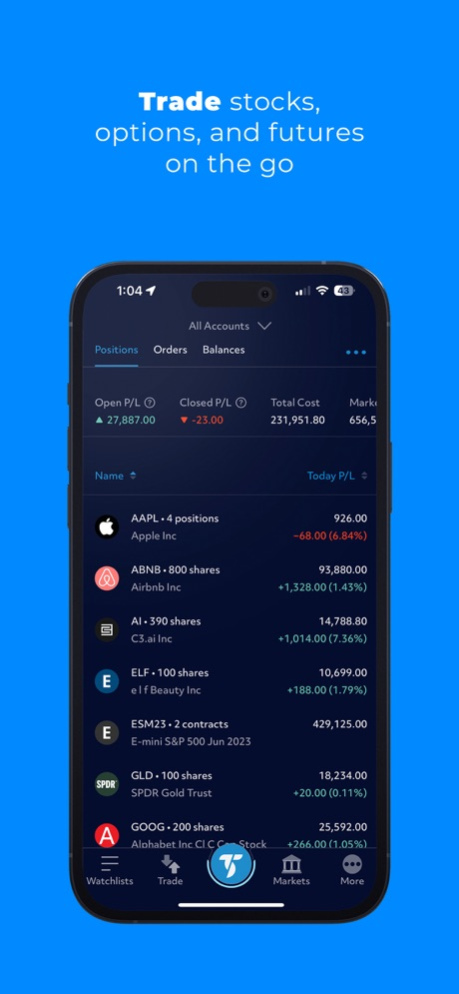
I tested the TradeStation Global mobile app on an iPhone 13 Pro Max (iOS) to see how it performs in real-world conditions. The app is built on Interactive Brokers’ mobile platform, with TradeStation’s functionality layered in, making it one of the more advanced mobile trading solutions available. While it doesn’t fully replace the power of the desktop platforms, it offers enough speed, flexibility, and features for monitoring markets and executing trades on the go.

Look & Feel and Features
The app delivers a clean, modern layout that feels smooth and responsive on iOS. Watchlists, live quotes, and advanced charts are accessible within a few taps. The charting is impressive for a mobile tool, offering dozens of technical indicators, drawing tools, and overlays. Traders can easily customize their workspace, but casual investors may find the depth overwhelming at first.
Login and Security
Security is a priority, with two-factor authentication (2FA), Face ID login, and encrypted connections ensuring account safety. The app also allows session timeout adjustments, giving extra control over access.
Search Functions
The search tool is fast and powerful, supporting stocks, ETFs, options, futures, and forex across 135+ global markets. Filtering by exchange, asset class, or sector makes it easy to find instruments quickly.
Placing Orders
Order placement is smooth and intuitive, supporting market, limit, stop, trailing stop, and complex options orders. The ticket interface is straightforward, and executions are fast thanks to Interactive Brokers’ infrastructure. Push notifications ensure traders stay updated on order status in real time.
Pros & Cons of the Mobile App
Pros
- Access on the go – lets you monitor global markets and place trades anytime, anywhere.
- Stable execution – orders are routed through Interactive Brokers’ infrastructure, ensuring reliability and speed.
- Advanced features – charting tools, watchlists, and multiple order types make it suitable for active traders.
Cons
- Not as smooth as eToro – the interface is powerful but less beginner-friendly compared to simplified, retail-focused apps.
- Cluttered for beginners – the wealth of tools and menus can feel overwhelming for traders new to the markets.
- Learning curve – takes time to master compared to plug-and-play mobile apps.
Market Research, Tools, and Education
Unlike some brokers that provide only surface-level insights, TradeStation Global combines professional-grade analytics with educational resources that help traders sharpen their skills over time.

Customer Support

When testing TradeStation Global’s customer support, I found it to be a mixed but generally reliable experience. The broker offers three main support channels: phone, email, and live chat. The phone and email options are handled through TradeStation International’s London office, while the live chat is accessible directly from their website.
Channels and Availability
Phone support is available during UK business hours, typically Monday to Friday, 8:00 am to 6:00 pm (GMT). For urgent account queries, phone support is the fastest way to get answers. Email responses usually arrive within one business day, though complex questions may take longer. Live chat is convenient for simple requests like funding information, platform guidance, or login issues. However, unlike some competitors, live chat isn’t available 24/7, which can be frustrating for traders in Asia or the US.
Quality of Support
In my experience, the support team is professional and knowledgeable, particularly when it comes to platform setup or account opening. Since Interactive Brokers handles execution and custody, some operational questions may be redirected to IBKR’s own support team, which adds an extra step. Still, the integration works well, and the staff are transparent about which team can resolve specific issues.
Comparison with Competitors
Compared to Saxo Bank and IG, which both offer 24/5 or near 24/7 multilingual support, TradeStation Global feels more limited. That said, TradeStation Global’s edge lies in its specialist support for active traders—the staff understand the technicalities of the platform and can guide clients through advanced setups like connecting TradeStation 9.5 with Interactive Brokers TWS.
Verdict
Overall, TradeStation Global’s customer support is solid but not outstanding. It works best for UK and EU clients who can contact the London office during business hours. For traders who prioritize depth and technical accuracy over round-the-clock availability, the support service is dependable, though not as seamless as top-tier competitors.
FAQ
Is TradeStation Global safe to use?
Yes, TradeStation Global is operated by TradeStation International Ltd, a London-based broker regulated by the FCA (Financial Conduct Authority). This means that client funds are protected under the FSCS (Financial Services Compensation Scheme) up to £85,000. Since execution and custody are handled by Interactive Brokers, traders also benefit from IBKR’s global reputation for stability and reliability, which adds another layer of safety.
What is the minimum deposit to open an account?
Until recently, the minimum deposit requirement was set at $1,000. However, now traders can open and fund an account with any amount starting from $0.01. Once the first deposit is credited, users can install Interactive Brokers TWS and connect it with TradeStation 9.5 by following the detailed integration guide provided by the TradeStation team.
Which markets can I trade with TradeStation Global?
Through its partnership with Interactive Brokers, TradeStation Global provides access to more than 135 markets worldwide, covering the US, UK, Europe, and Asia. The instruments available are diverse, ranging from stocks and ETFs to options, futures, forex, CFDs, bonds, and mutual funds, making it possible to build a truly global and diversified portfolio.
Does TradeStation Global offer commission-free trading?
No, TradeStation Global does not provide free stock or ETF trading like eToro or Trading 212. Instead, it follows a transparent and competitive commission model, charging $0.01 per share with a $1.50 minimum on US equities, and around 0.12 percent with a €4 minimum on European shares. While not zero-cost, the structure appeals to active traders who prioritize reliable execution and professional-grade access.
Which platforms are available with TradeStation Global?
Clients can choose between several platforms depending on their trading style. The TradeStation 9.5 desktop platform offers advanced charting and automation features, while Interactive Brokers’ Trader Workstation (TWS) provides professional multi-asset access. For lighter use, the IBKR Web Platform is available, and the mobile app for iOS and Android supports trading on the go. Together, they form a complete ecosystem.
What funding and withdrawal options are available?
Funding is done exclusively by bank transfer, and there are no fees on deposits. Withdrawals are also processed via bank transfer, with the first one each month being free and additional withdrawals subject to a small fee. Supported base currencies include USD, EUR, and GBP, which helps keep conversion costs low for most European and UK clients.
Who is TradeStation Global best suited for?
TradeStation Global is best for active traders, advanced investors, and those who value technical analysis and strategy building. Its strengths lie in advanced charting, global market coverage, and professional-grade tools. Beginners may find the platforms overwhelming at first, but traders who want precision, flexibility, and serious execution quality will find it highly suitable.